Bookra1n Free A12/A13 Hello Screen Activation
Bypass Activation Lock & Fix Face ID / Apple ID Login
Learn how to bypass the Activation Lock on
A12 and A13 devices
running on the Hello Screen completely free.
Using Bookra1n Ramdisk Tool,
you can activate your device untethered while maintaining full access to core Apple services.
📌 Key Highlights:
This updated release addresses common post-bypass issues, fully restoring
Face ID functionality
and fixing
iCloud / Apple ID login
errors without requiring a Serial Number (SN) change.
✨ Key Features & Fixes
- ✅ 100% Free Tool: Complete Hello Screen activation with zero hidden service fees.
- ✅ Fix Face ID: Hardware facial recognition functions normally post-bypass.
- ✅ Apple ID & App Store Login: Sign into iCloud, download apps, and sync data smoothly.
- ✅ Untethered Activation: Device boots normally upon reboot without re-triggering the lock screen.
- ✅ No Serial Change: Retain your device’s original Serial Number throughout the process.
📱 Supported Devices (A12 & A13)
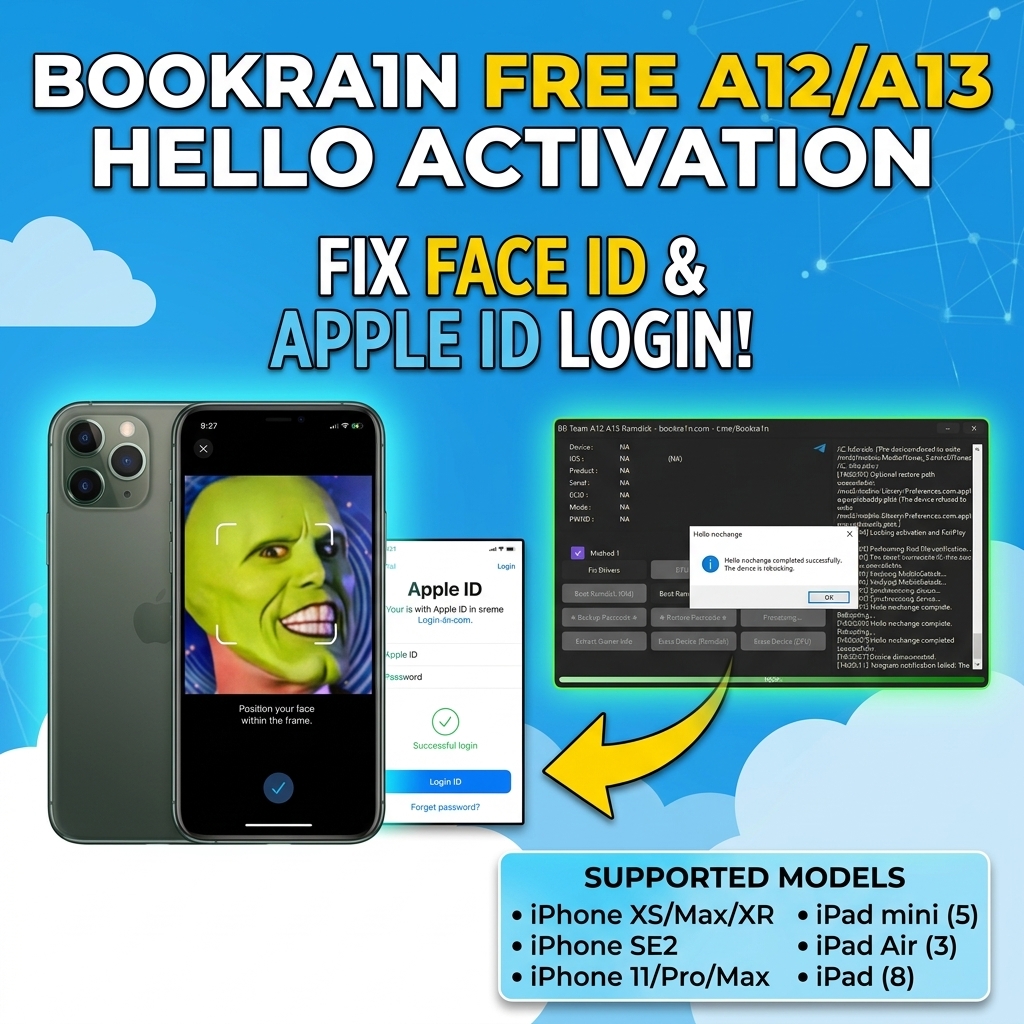
| Category | Supported Models |
|---|---|
| iPhone (A12) | iPhone XS, iPhone XS Max, iPhone XR |
| iPhone (A13) | iPhone SE (2nd Gen), iPhone 11, iPhone 11 Pro, iPhone 11 Pro Max |
| iPad Series | iPad mini (5th Gen), iPad Air (3rd Gen), iPad (8th Gen) |
🛠️ Step-by-Step Activation Guide
- Prepare Drivers: Download and launch the Bookra1n tool. Click “Fix Drivers” to ensure your PC properly detects the iOS device.
- Enter DFU Mode: Put your A12 or A13 device into DFU mode using the standard button combination.
- Boot Ramdisk: Click “Boot Ramdisk” inside the Bookra1n menu and allow the tool to load the environment.
- Run Activation: Once the Ramdisk is active, select the activation option (Method 1). Wait until the confirmation popup states “Hello nochange completed successfully.”
- Reboot & Setup: Your device will automatically reboot. Complete the initial iOS setup screen and log into your Apple ID.