Internet Download Manager (IDM) is a popular download management application for Windows that helps users download, organize, and manage files from the internet. It is useful for downloading software, firmware packages, stock ROMs, drivers, documents, videos, and large archives.
With features such as download acceleration, resume support, browser integration, download scheduling, and an easy-to-use interface, IDM is a convenient tool for users who regularly download files from the internet.
Internet Download Manager, commonly known as IDM, is a Windows application designed to make downloading files easier and more organized. It works alongside compatible web browsers and provides a dedicated interface for controlling downloads.
Unlike a basic browser download list, IDM offers additional controls for pausing, resuming, scheduling, and organizing downloads. Its dynamic file segmentation technology can also improve download speeds when supported by the server and network conditions.
1. Faster Downloading
IDM uses dynamic file segmentation and multiple connections to help improve download speeds. Actual performance depends on the internet connection, server capabilities, and website restrictions.
2. Resume Interrupted Downloads
If a download is interrupted because of a connection problem or computer shutdown, IDM can resume it later when the source server supports resuming.
3. Browser Integration
IDM can integrate with compatible browsers and detect supported downloadable files, allowing users to send downloads directly to the application.
4. Download Scheduling
The scheduler and queue features allow users to organize downloads and control when queued files start downloading.
5. Automatic File Organization
Downloaded files can be arranged into categories such as programs, documents, compressed files, music, and videos, making them easier to find.
6. Large File Management
IDM is especially convenient for downloading large software packages, firmware files, ISO images, archives, and other files that may take considerable time to download.
IDM is useful for both everyday computer users and technical professionals who regularly download files from different websites.
For mobile repair technicians, it can help manage stock firmware packages, flash tools, USB drivers, service utilities, and other large files. Instead of relying entirely on the browser’s download manager, technicians can monitor progress, organize downloaded files, and resume supported interrupted downloads.
For general users, IDM makes it easier to download software installers, documents, compressed archives, and other online resources. Its queue and scheduling features are also helpful when several files need to be downloaded.
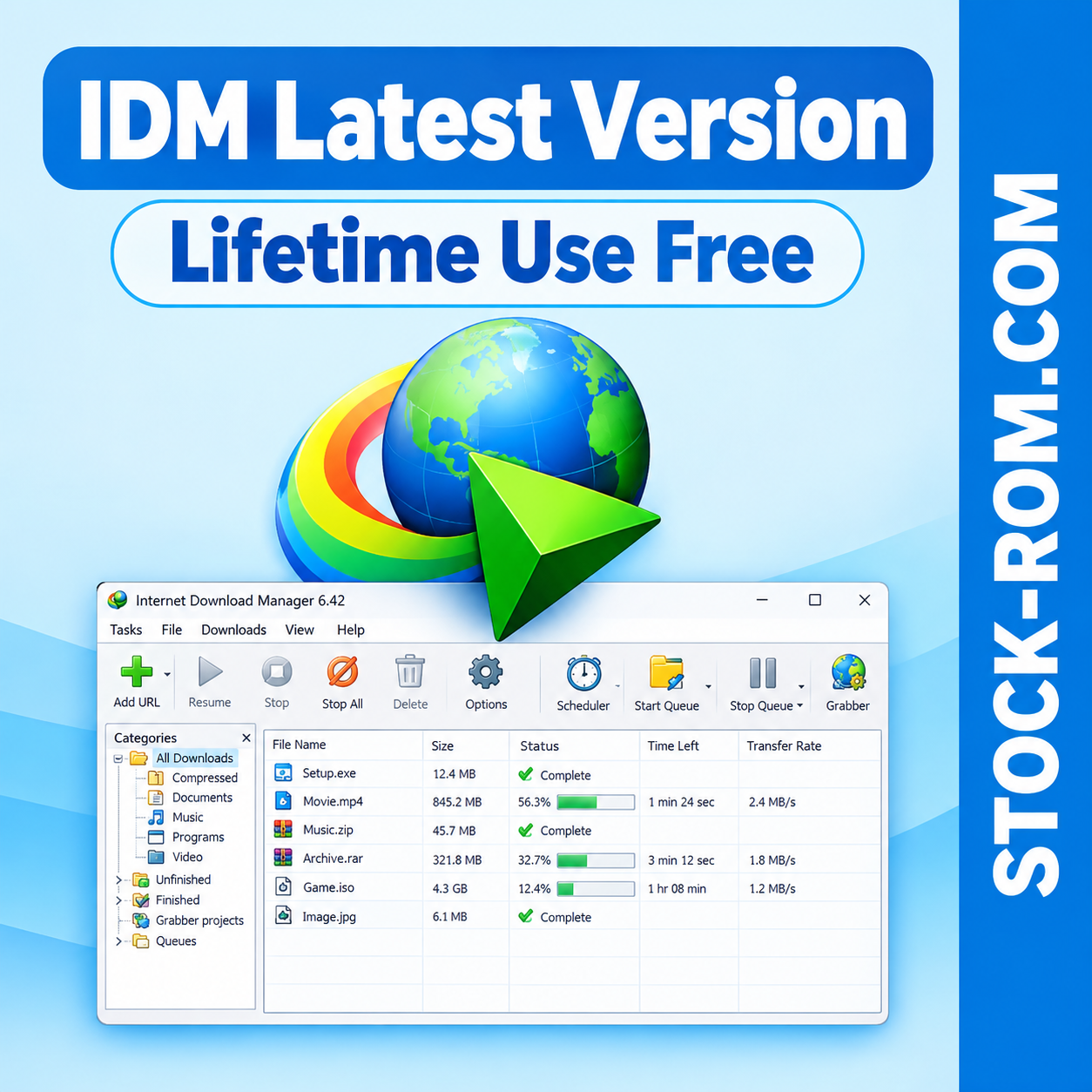
One of IDM’s main advantages is its straightforward interface. The main window displays download entries, file names, sizes, progress, transfer rates, and download status in an organized layout.
The main controls are easy to understand, even for beginners:
Add URL: Add a download link manually.
Resume: Continue a supported interrupted download.
Stop: Stop the selected download.
Stop All: Stop active downloads.
Delete: Remove a download entry from the list.
Options: Configure application settings and browser integration.
Scheduler: Manage download schedules and queues.
Start Queue: Start downloads arranged in a queue.
Stop Queue: Stop the running download queue.
These controls make it easier to monitor and manage multiple downloads from a single window without repeatedly opening the browser’s download panel.
After installing IDM, users can configure browser integration to capture supported downloads automatically.
Step 1: Open Internet Download Manager on your Windows computer.
Step 2: Open the Options menu and locate the browser integration settings.
Step 3: Make sure integration is enabled for your compatible browser.
Step 4: If required, install or enable the official IDM integration extension for that browser.
Step 5: Restart the browser if necessary and test the integration with a supported downloadable file.
If IDM does not appear when downloading a file, check the extension status, browser compatibility, permissions, and application settings. Some protected streaming services and websites may not be supported.
IDM is commercial software. A free trial may be available, but continued use requires a valid license according to the official license terms. Users should check the official website for current pricing, trial availability, and supported Windows versions.
Be careful with modified installers and unauthorized activation tools. Downloading the software from its official source helps reduce the risk of malware and unwanted programs.
If you are looking for a download manager for your Windows PC, Internet Download Manager provides useful tools for managing files, resuming supported downloads, and organizing download queues through a simple interface.
DOWNLOAD
Please wait:
30
Password : stock-rom.com
Important Note : Buy IDM if u like to support the developer