🛠 Tool: UnlockTool |
📂 File Type: Read File |
💰 Type: Free Download
Welcome to our free mobile repair resource page. Today we are sharing the
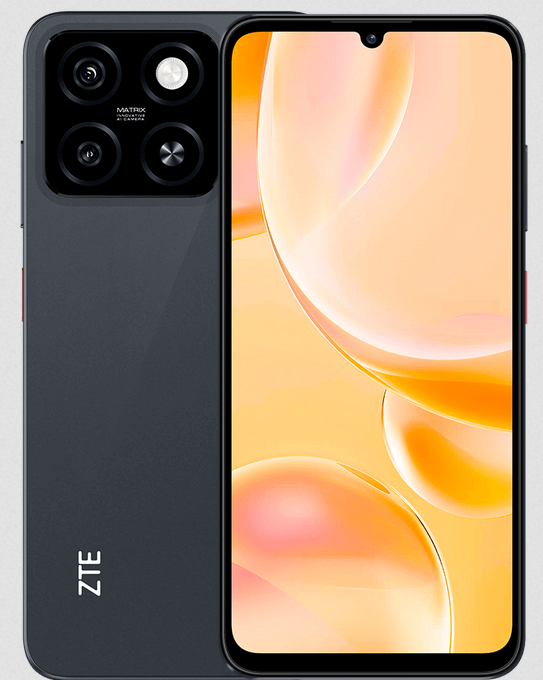
ZTE Blade A55 (P963F65 / Z2450) UnlockTool Read File for free download.
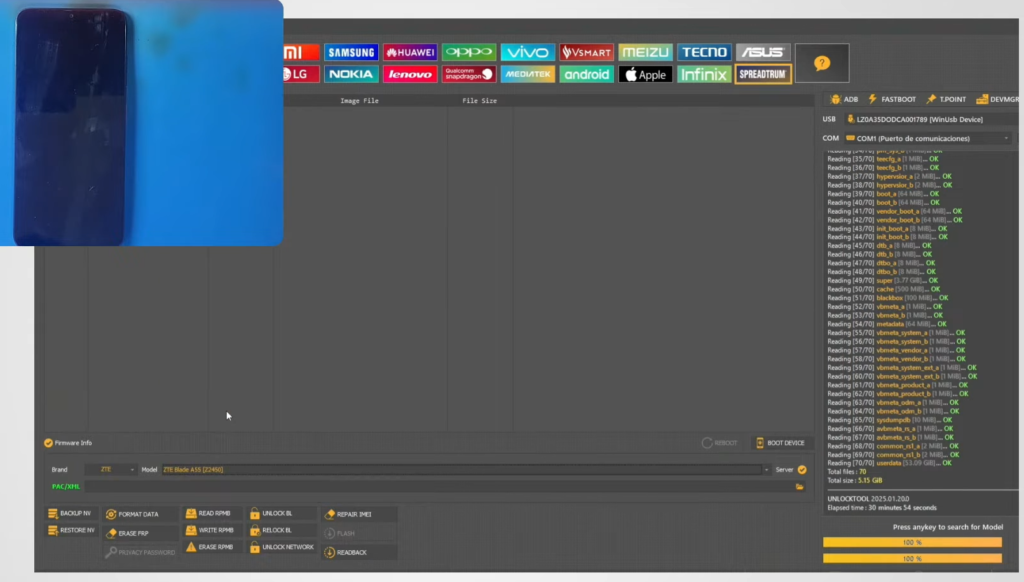
This read file was extracted using the popular UnlockTool software and
contains all essential device identifiers, build properties, and firmware details required
for professional mobile repair, IMEI restoration, FRP bypass, and firmware flashing operations.
Whether you are a mobile technician, flash tool enthusiast, or a smartphone repair professional,
this read file will save you hours of manual configuration. The file covers full device info
including the board platform, security patch level, software version, display build ID, and
more — all verified from a genuine ZTE Blade A55 handset running MyOS 14.0.4.
📋 ZTE Blade A55 (Z2450) Full Device Specifications from Read File
The following information was read directly from the device using UnlockTool:
| Field | Value |
|---|---|
| Product Brand | ZTE |
| Product Device | P963F65 |
| Product Model | Z2450 |
| Product Name | P963F65_1 |
| Patch Level | UP1A.231005.007 |
| SW Version | 20240817.112640 |
| Version CodeName | REL |
| Security Patch | 2024-07-05 |
| Build Time | 8/17/2024 3:27:17 AM |
| Product Info | P963F65 |
| Display ID | MyOS14.0.4_Z2450_AS |
| Product Manufacturer | ZTE |
| Board Platform | sp9863a (UNISOC SC9863A) |
| Product Board | s9863a1h10 |
| Unique Device ID | zte-zte-z2450-p963f65-p963f65-1 |
| Firmware ID | SP9863A_ZTE_Z2450_OSv14_MyOS14.0.4_Z2450_AS_UP1A.231005.007_P963F65 |
📱 ZTE Blade A55 — Device Overview
The ZTE Blade A55 is a budget-friendly Android smartphone powered by the
UNISOC SC9863A (sp9863a) octa-core processor. It runs ZTE’s custom Android skin
MyOS 14, built on top of Android 14. The device targets entry-level users
who need reliable daily performance at an affordable price point. Some key highlights include:
- 🔹 Chipset: UNISOC SC9863A — proven entry-level ARM Cortex-A55 platform
- 🔹 OS: MyOS 14.0.4 (Android 14 base)
- 🔹 Security Patch: July 2024 — relatively recent for this tier
- 🔹 Build: Compiled August 17, 2024 — stable production release
- 🔹 Variant: Z2450 / P963F65 — international/AS region variant
- 🔹 Manufacturer: ZTE Corporation
The SC9863A platform has excellent support in tools like UnlockTool, SP Flash Tool, and
UNISOC-based flashing utilities, making repair operations on this device straightforward for
experienced technicians.
❓ Why Is This Read File Needed?
Many technicians and repair shops ask: “Why do I need a read file when I can just flash
firmware?” Here are the most important reasons this specific UnlockTool read file is
valuable:
- Pre-Repair Backup Reference: Before any flash or unlock operation, having
the device’s exact build fingerprint, software version, and board details lets you match the
correct firmware. Flashing the wrong firmware on a ZTE device (especially UNISOC-based) can
result in a hard brick. - Firmware ID Matching: The
Firmware IDfield
(SP9863A_ZTE_Z2450_OSv14_MyOS14.0.4_Z2450_AS…) is the exact string you need to
search for when downloading the matching stock ROM. Without it, you risk downloading the
wrong regional or version-incompatible firmware. - IMEI & NV Data Restoration: Corrupt IMEI or NV partition issues are
common after botched flashes. The device read file contains the product info and board
details needed to correctly restore the NV partition via UnlockTool. - Strategy File Selection: UnlockTool uses a strategy tag
([zte]) to apply device-specific unlock procedures. This file confirms which
strategy pipeline the software should use, preventing wrong method errors. - FRP Bypass Accuracy: Google account lock removal on ZTE devices is
version-specific. Knowing the exact patch level (UP1A.231005.007) and security
patch date (2024-07-05) ensures you apply the correct FRP bypass method. - Sharing With Remote Technicians: When outsourcing repair work remotely,
sending this read file gives the receiving technician everything they need without requiring
physical access to the device.
🛠 How to Use This Read File With UnlockTool
- Download and install the latest version of UnlockTool on your Windows PC.
- Open UnlockTool and navigate to the ZTE tab or use the universal search.
- Connect your ZTE Blade A55 via USB in ADB mode (enable USB Debugging first).
- Click “Read Info” — UnlockTool will scan and populate device fields
matching the data in this file. - Cross-reference the read output with this file to verify you have the correct device profile.
- Proceed with your desired operation: Unlock, FRP Remove, IMEI Repair, or Flash.
performing any unlock, flash, or repair operation. Incorrect use of repair tools can
permanently damage your device. This read file is provided for reference and educational
purposes for licensed mobile repair technicians.
📦 File Information
| File Name | ZTE_Z2450_P963F65_UnlockTool_ReadFile.zip |
| Device Model | ZTE Blade A55 (Z2450 / P963F65) |
| Tool | UnlockTool |
| Android Version | Android 14 / MyOS 14.0.4 |
| Platform | UNISOC SP9863A |
| Build Date | August 17, 2024 |
| Price | Free |
⬇️ Download Links:-
Please wait:
30
|ZTE BLADE A55 14.0.4-Z2450-LA.part1.rar
|ZTE BLADE A55 14.0.4-Z2450-LA.part2.rar
|ZTE BLADE A55 14.0.4-Z2450-LA.part3.rar
Password : Please wait: 30 ZTE_BLADE_A55@stock-rom.com
🔗 Related ZTE UnlockTool Read Files
- ZTE Blade A31 Plus UnlockTool Read File Free Download
- ZTE Blade A52 Lite UnlockTool Read File Free Download
- ZTE Blade A72s UnlockTool Read File Free Download
- ZTE Blade V40 Design UnlockTool Read File Free Download
- ZTE Blade A53 Pro UnlockTool Read File Free Download
educational purposes only. We do not encourage any use that violates the device manufacturer’s
terms of service or local laws. Always ensure you own the device before performing any unlock
or repair operations. Our website holds no responsibility for any damage caused by misuse of
the provided files.