Unlock Turkey Tool v2.09 Free Download 2026 | FRP Unlock & IMEI Repair Tool
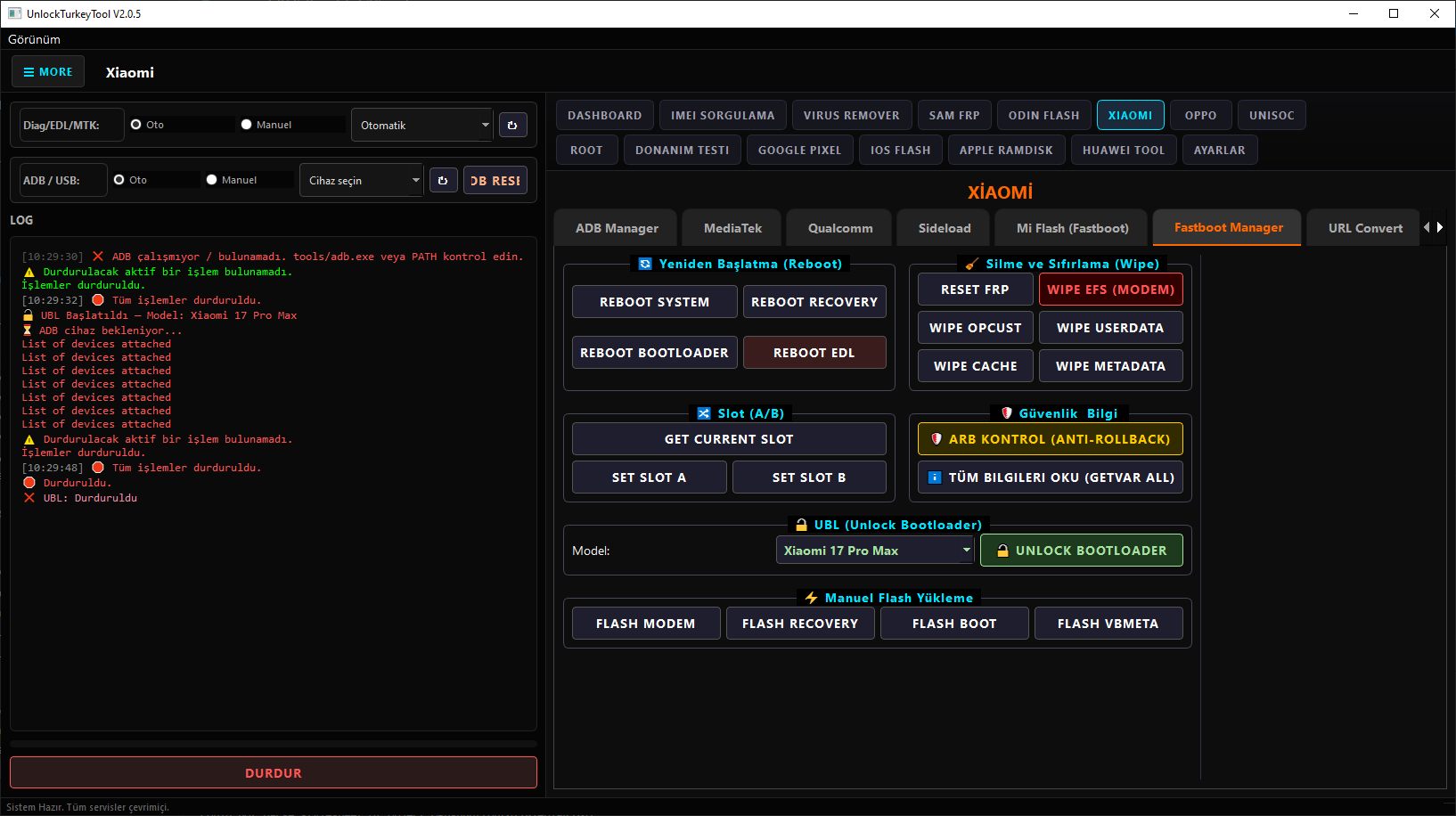
Unlock Turkey Tool v2.09 is a powerful GSM servicing software for Windows, designed to help mobile technicians perform essential Android repair and unlocking operations. This tool supports ADB and Fastboot modes, allowing users to manage, repair, and troubleshoot a wide range of Android devices efficiently.
The latest 2026 version brings improved stability, better device compatibility, and smoother execution of core functions, making it a useful utility for both beginners and professional technicians.
📌 Tool Information
- Tool Name: Unlock Turkey Tool
- Version: v2.09
- Release Year: 2026
- Platform: Windows
- Tool Type: GSM / Mobile Servicing Tool
- Interface: Simple Graphical UI
- Supported Modes: ADB / Fastboot
✨ Key Features
🔓 FRP Unlock
Remove Factory Reset Protection (FRP) locks on supported Android devices after a reset.
📱 IMEI Repair
Provides IMEI repair options for supported devices and chipsets (use only where legally permitted).
⚙️ ADB Functions
- Read device information
- Reboot device (Normal / Recovery / Bootloader)
- App management options
- Basic debugging features
⚡ Fastboot Operations
- Detect devices in fastboot mode
- Unlock bootloader (supported devices only)
- Flash basic partitions
- Execute fastboot commands
🧰 Multi-Brand Compatibility
- Xiaomi (basic operations)
- Samsung (limited support)
- Other Android devices with ADB enabled
🆕 What’s New in Version 2.09
- Improved performance and speed
- Bug fixes from previous versions
- Better ADB and Fastboot communication
- Enhanced compatibility with newer devices
💻 System Requirements
- Windows 7 / 10 / 11 (64-bit recommended)
- Minimum 4GB RAM
- Installed USB Drivers (ADB / OEM drivers)
- USB Debugging enabled on the device
📥 Download Unlock Turkey Tool v2.09
👉 [Direct Download Link Here]
⚙️ How to Use
- Download and extract the tool on your PC
- Install required USB drivers
- Run the tool as Administrator
- Connect your Android device via USB
- Enable USB Debugging (ADB mode)
- Select the required function
- Execute the process and wait for completion
⚠️ Important Notice
- This tool is intended for educational and professional servicing purposes
- Some features may not support all devices
- IMEI-related functions may be restricted or regulated in some regions
- Always ensure you have proper authorization before performing operations