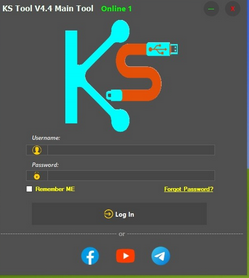
KS Tool 4.6 is one of the latest and most powerful GSM tools designed for mobile repair technicians and advanced Android users. It provides a complete solution for servicing Android devices, including unlocking, flashing, and repairing software-related issues.
This tool supports multiple chipsets such as MediaTek (MTK), Qualcomm, and SPD, allowing it to work with a wide range of smartphones. Whether you are dealing with FRP lock, forgotten passwords, or software crashes, KS Tool offers a fast and effective solution.
The latest version 4.6 comes with improved performance, better compatibility with newer Android versions, and enhanced stability. It also includes updated loaders and functions to support more devices than previous versions.
🔧 Main Features of KS Tool 4.6
KS Tool is packed with useful features that make it a must-have for GSM repair work:
- ✅ FRP Reset (Google Account Bypass)
- ✅ Pattern / PIN / Password Unlock
- ✅ Flashing Firmware (Stock ROM Install)
- ✅ Factory Reset & Safe Format Options
- ✅ IMEI Repair (basic supported devices)
- ✅ Read Device Info (Model, Android Version, IMEI, etc.)
- ✅ Auto Device Detection
- ✅ USB Mode & Preloader Mode Support
- ✅ Fast Boot & ADB Functions
- ✅ Real-Time Logs & Progress Status
These features help technicians perform most software repair tasks without needing multiple tools.
📱 Supported Devices & Brands
KS Tool 4.6 supports a large number of Android brands, including:
- Samsung
- Xiaomi / Redmi / Poco
- Vivo
- Oppo / Realme
- Huawei
- Tecno / Infinix
- And many more MTK / Qualcomm / SPD devices
The tool is regularly updated to include new models and security patches.
🚀 What’s New in Version 4.6?
The latest update brings several improvements:
- 🔹 Added support for new Android devices
- 🔹 Improved FRP unlock methods
- 🔹 Faster flashing speed
- 🔹 Fixed bugs from previous versions
- 🔹 Improved UI for better user experience
- 🔹 More stable connection with devices
This makes KS Tool 4.6 more reliable compared to older versions.
💻 System Requirements
Before installing KS Tool, make sure your system meets these requirements:
- OS: Windows 7 / 10 / 11 (64-bit recommended)
- RAM: Minimum 4GB (8GB recommended)
- Storage: At least 500MB free space
- Drivers: MTK, Qualcomm, SPD USB drivers installed
- Internet: Required for login or some functions
⚙️ How to Use KS Tool 4.6
Follow these simple steps:
- Download and extract the tool on your PC
- Install all required USB drivers
- Open the KS Tool application
- Login if required (depending on version)
- Connect your device using USB cable
- Select the desired function (FRP, Flash, Unlock, etc.)
- Click Start and wait for the process to complete
Make sure your device battery is charged before starting any operation.
⬇️ Download KS Tool 4.6 (Latest Version)
https://www.mediafire.com/file/x4ahvfntyevnwjz/KS_Tool_V4.6_Main_Tool.7z/file
Login Detail + Zip Password : https://uploadex.net/f/ruUF5sJ3U5